Multistream Studio
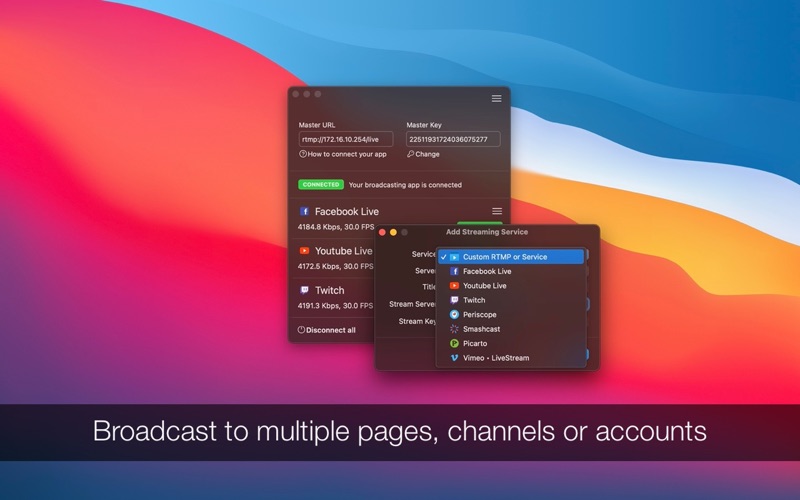
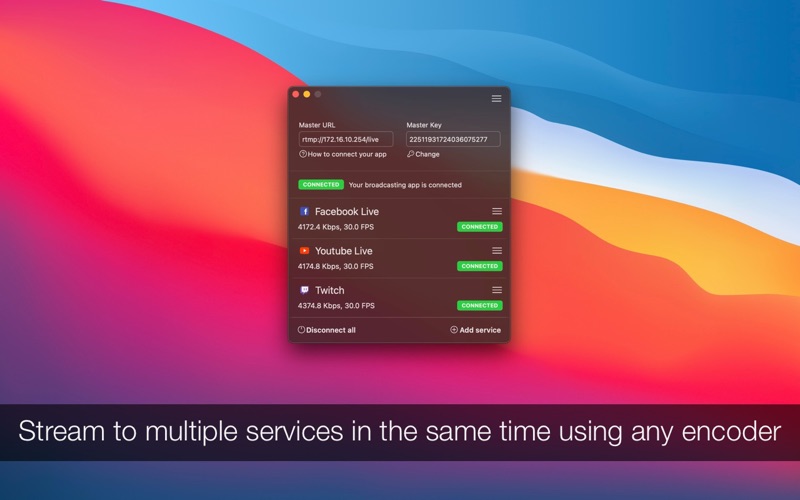
Discover how Multistream Studio for Mac lets you broadcast to multiple RTMP platforms simultaneously. Read our full review of this powerful streaming tool.
Simultaneous Multi-Platform Streaming Made Simple
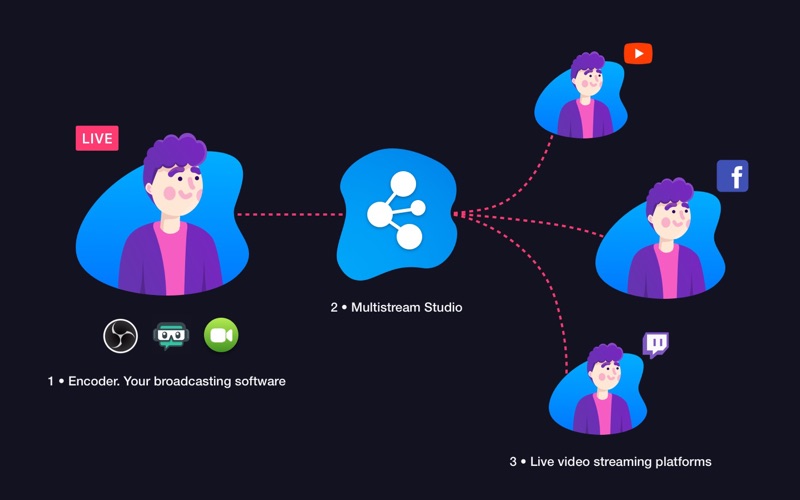
For content creators, live streaming can often feel like a compromise. You are forced to choose between the established community on Twitch, the massive reach of YouTube, or the social engagement of Facebook. The Multistream Studio live streaming software solves this dilemma by acting as an efficient, lightweight middleman that duplicates your video feed and broadcasts it to multiple destinations simultaneously without sacrificing performance.
Unlike resource-heavy alternatives, this Mac utility does not re-encode your video. Instead, it routes your encoder output directly to your configured RTMP or RTMPS targets. This means your Mac saves CPU cycles while your stream reaches several platforms at once in its original quality, whether you are broadcasting in 720p, 1080p, or pristine 4K at 60 FPS.
How the Multistream Studio Live Streaming Software Integrates Into Your Workflow
One of the most impressive aspects of the Multistream Studio live streaming software is its universal compatibility. It does not replace your favorite broadcasting tools; it enhances them. You can continue using OBS Studio, Streamlabs, Wirecast, or even hardware encoders and mobile apps. You simply configure your primary software or camera to target Multistream Studio as its destination, and the application handles the rest.
Key Features for Professional Broadcasters
- Isolated Connections: Each destination stream runs independently. If your connection to one platform drops, the other streams continue uninterrupted.
- Simple Configuration: Setting up a new destination requires only the RTMP stream URL and your stream key.
- Unlimited Destinations: Depending on your internet bandwidth, you can stream to 5, 10, or even more destinations simultaneously.
- Hardware & Mobile Support: Easily route feeds from RTMP-compatible hardware encoders, mobile streaming apps, or action cameras like GoPros.
Who Is This Streaming Tool For?
Developed by Denk Alexandru, this entertainment category utility is tailored for gamers, musicians, vloggers, and corporate broadcasters who need to maximize their digital footprint. If you want to grow your audience across multiple channels or run parallel broadcasts on separate Facebook groups and YouTube channels, this application streamlines the entire process.
To experience this seamless multi-destination broadcasting setup for yourself, you can find the official download and subscription options on the Mac App Store.