
Browser & File Manager
Discover our comprehensive review of the Browser & File Manager app for iOS. Read about its offline viewing, download tools, and secure file storage.
A Versatile Digital Hub for iOS Users
Managing files, downloading documents, and browsing the web on iOS can often feel fragmented. The Browser & File Manager utility by developer 书穗 林 aims to solve this pain point by consolidating several essential productivity tools into a single, cohesive interface. If you have ever wanted a unified space to browse, download, view, and organize files on your iPhone or iPad, this app provides a practical, all-in-one workspace.
Key Features of the Browser & File Manager Utility
Instead of bouncing between a web browser, a separate file storage app, and a document viewer, this tool brings them all under one roof. Here is a breakdown of how its integrated systems work together:
1. Integrated Web Browser
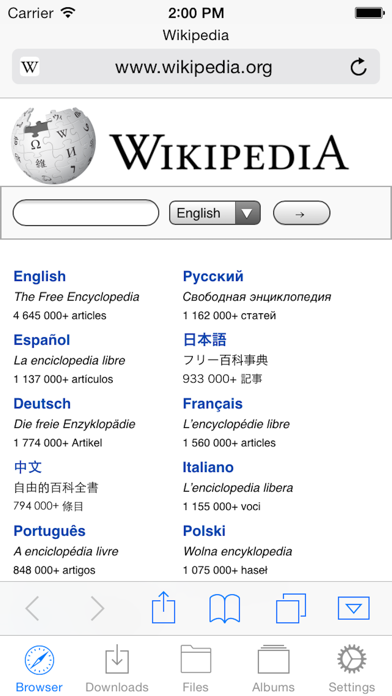
The built-in browser is designed with utility in mind, moving beyond simple web surfing to offer deep integration with your device's storage. It supports multi-tab browsing, a dedicated bookmark manager, and history tracking. A standout feature is the ability to tap and hold on links to force a download, or view all links present on a current page. You can also save entire web pages, including images, for offline reading later.
2. Reliable Download Manager
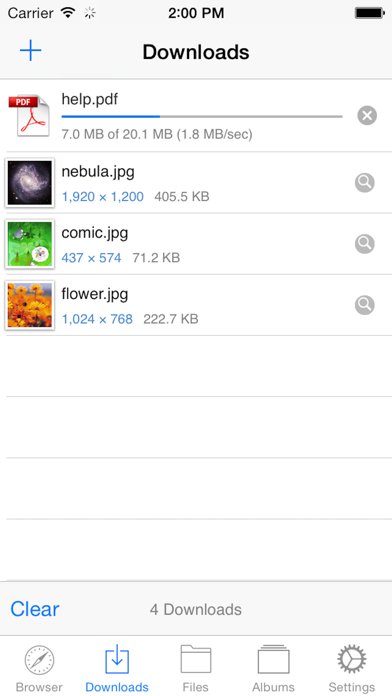
Handling files on iOS is made simpler with a dedicated download manager that supports background downloading. If your connection drops, the app features reliable resuming of interrupted downloads. A live progress bar and speed indicator keep you updated on the status of your files in real time.
3. Local File and Archive Management
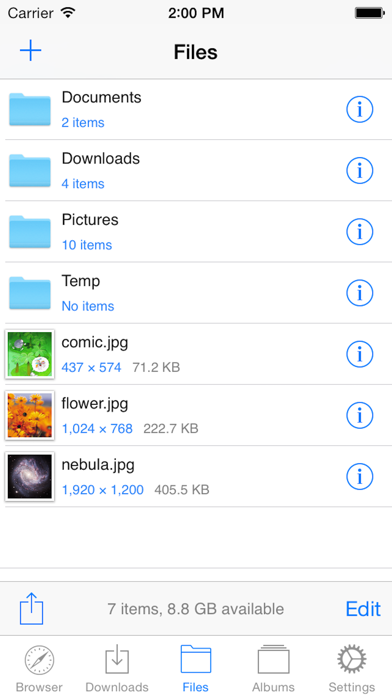
Once your files are downloaded, the Browser & File Manager utility provides a robust directory system. You can organize your items into folders, view thumbnails, and sort files by name, kind, size, or date. It also supports extracting compressed archives, including Zip, Rar, and 7z formats. For sharing, you can quickly email files as attachments or save compatible photos and videos directly to your iOS Camera Roll.
4. Multi-Format Document and Photo Viewers
You do not need external apps to open your downloaded media and work files. The built-in photo viewer supports standard formats like .jpg, .png, .tif, and .bmp. Meanwhile, the integrated document viewer easily handles major formats, including PDF, RTF, and Microsoft Office files (.doc, .xls, .ppt), alongside Apple iWork files (.pages, .numbers, .key).
5. Privacy Protection
To keep your downloaded documents and personal files secure from prying eyes, the app includes a passcode lock feature. This adds an extra layer of security, requiring a passcode to access the application.
Important Limitations to Keep in Mind
While this tool is highly versatile for document management, it is important to note that the app does not support downloading of video or audio content. Users looking for a media downloader will need to look elsewhere, as this application strictly focuses on document, archive, and image management.
Is It Right for You?
The Browser & File Manager utility is ideal for professionals, students, and power users who frequently handle PDFs, spreadsheets, compressed archives, and offline web pages on their iOS devices. By combining a browser, download manager, and file organizer, it simplifies everyday digital tasks.
To explore this tool further and see if it fits your mobile workflow, you can find it listed on the official iOS App Store.